
Invisible Wires: Agentic Cloud
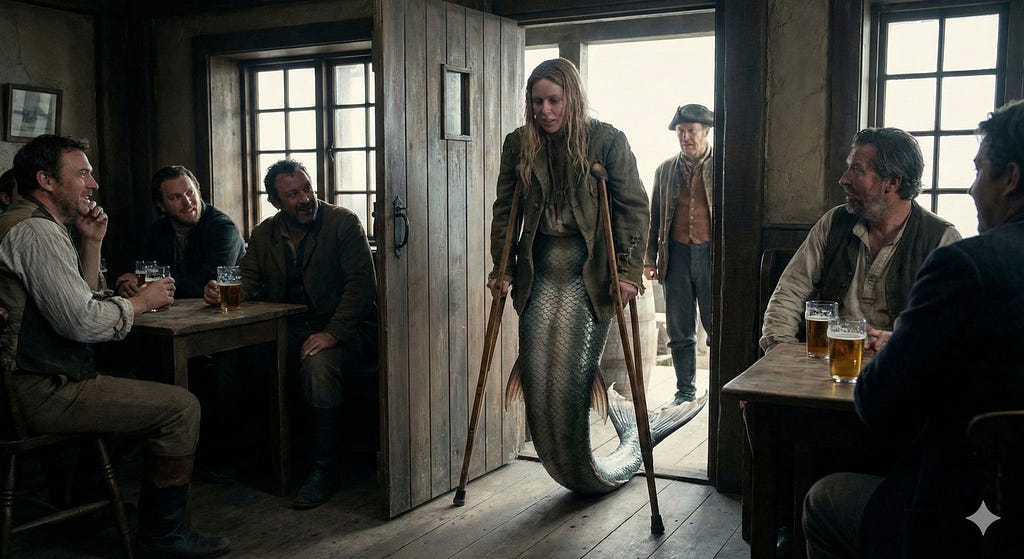
In walked a Mermaid diagram
First published on Medium on February 16, 2026. Reposted here so it lives alongside the rest of the lab notes. The follow-up is Less Talk, More Rock!.

I have recently been diving deeper into NotebookLM and Gemini for work productivity.
As a Hybrid Multi Cloud Architect, finding a single substrate is HARD work! Unicorn status hard! I know, I know — K8 is the multi cloud substrate.
You know what can be even more challenging? What kinds of tools do I use for the source of truth? My truth. Do I bake the ocean and implement a CI/CD pipeline to handle documentation updates? Meh, not the simplified workflow I am looking for this time around.
A diagram in my world tells a story. A truth. A logical diagram — one with routing/intent, outcome, permission, IAM — all of this stuff lives in a diagram. Architecture changes, requirements change, technology changes, business changes. Why did the architecture change? But I am not in service delivery, nor do I write software for my company or my customers.
Sure, there are modern Architectural Decision Records (ADRs), Technical Design Documents (TDDs), architectural frameworks such as arc42 and the C4 model, and notepad, Google Drive, SharePoint, this and that. I want it easy. Less context switching. I want my cake and eat it too!
In walks a Mermaid to a bar…
One house, many rooms
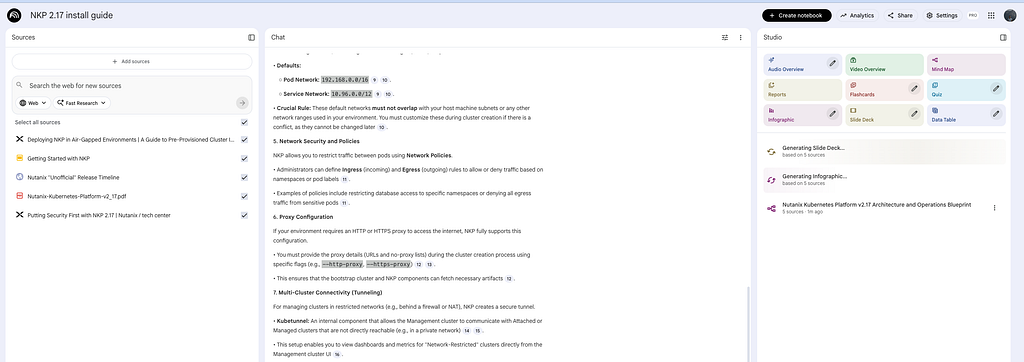
Here is what I have found to be very helpful. Instead of a customer folder hosted anywhere, it's only located in one place, and that one place is NotebookLM. It is a house with rooms — and a butler assisting. Screenshot below shows the layout.
Cool, but this isn't an article on hosting options. Very interested in tactical edge use cases to make this new repo worth the move. As a Solutions Architect, I need to quickly iterate on logical diagrams and reference why something changed.
Hybrid Multi Cloud involves a lot of context switching and so I think a lot about common substrates. That is typically in the networking design and prior cloud footprints (network, connectivity, IAM/security) — ya know, all those ingress/egress thingies, ooooh, and a synthetic proxy here and there.
So, now in walks the Mermaid diagram.
Why Mermaid
A Mermaid diagram is a way to create visuals like flowcharts, charts, and graphs using simple, text-based code. Instead of drawing boxes and arrows manually in a graphic design tool, you type a few lines of code, and the Mermaid tool automatically renders it into a diagram.
It is heavily used by developers and technical writers because it integrates directly into platforms like GitHub, GitLab, Notion, and Obsidian.
- Text-based: since it's text (uber flexible), you can copy, paste, and edit it easily — a prime candidate for some further API/automation.
- Version control: you can track changes to your diagrams just like you track code changes (using Git).
- No "drawing" required: the tool handles the layout for you. You focus on the logic; Mermaid focuses on the placement.
Additionally, natively it integrates with the following:
- GitHub/GitLab: just use a code block marked
mermaidin your Markdown files. - Notion: type
/mermaidto insert a block. - Obsidian: a popular note-taking app that supports it out of the box.
- VS Code: with the "Mermaid Preview" extension.
I'm not using Notion or Obsidian, but I do use VS Code and their current draw.io extension. So, there is opportunity to consolidate workflows further, and that is for another post!
The prompt
In my case, I uploaded some documentation on Nutanix Cloud Clusters on AWS. This included the user guide, some deep research, logical diagrams and onboarding documentation. I asked NotebookLM to give me a Mermaid diagram for Nutanix Cloud Clusters in region A and region B replicating.
Prompt: Provide a Mermaid diagram for an NC2 cluster in AWS Region US West 2 A and US West 2 B.
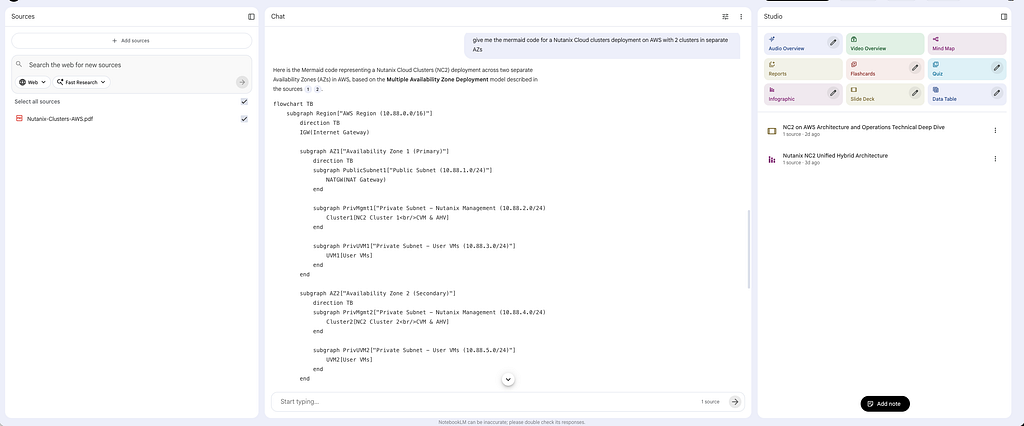
Ok, so what am I doing with this text-based diagram? Copy the text and head straight over to mermaid.live — free — to convert it into the diagram.
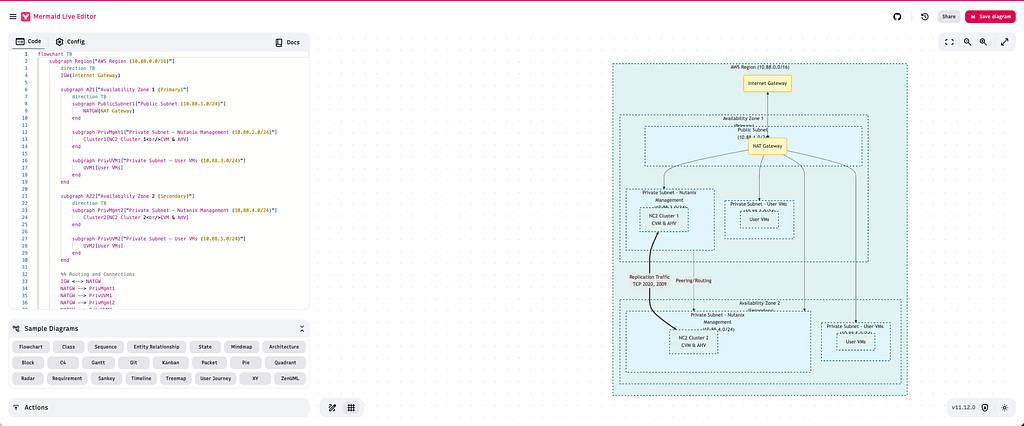
For now, I am copying and pasting back into NotebookLM next to the prompt I asked to produce the text. It allows me to follow the natural-language process and history while having time-consuming tasks and the weight of the context switching reduced. I'll continue to refine the workflow, AND — I am having fun building!
What's next
- Looking at webhook and/or API integration for Mermaid editors.
- Further workflows for automation to make this a bit more end to end for some core use cases.
- Nutanix icon library as a source.
- Nutanix Validated Design — sort of your Well-Architected Framework, if you will.
NotebookLM is a great start; my long-term goal is to pull these toolsets together into an agentic workflow running in the lab, but that will be a post for another day.
Originally published on Medium, February 16, 2026. Reposted with light typo fixes, section headings for navigation, the closing list formatted as a list, and one correction — "C2 Model" read as the C4 model. The hero image was generated with Nano Banana Pro.
Find me on LinkedIn.
Follow along
Get the next post without leaving this page: copy the feed into any reader, or get it by email. Live builds and the lab's music stream on Twitch.
Comments